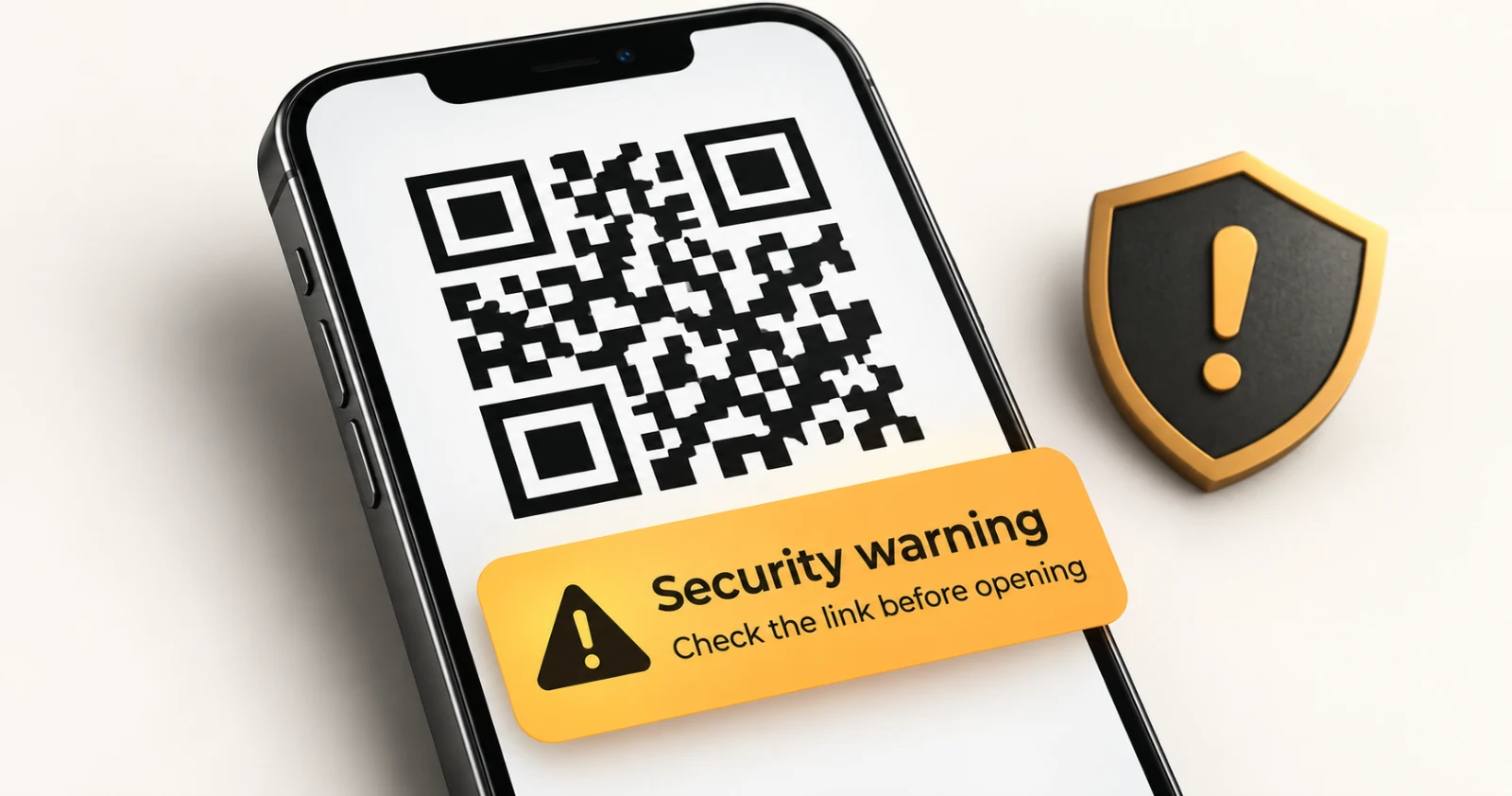
You have probably scanned a QR code this week. Maybe it was a restaurant menu, a parking meter, a boarding pass, a payment screen, or a poster on a street corner. It takes about a second, and it feels like magic. But how do QR codes actually work, and are they really as harmless as they look?
This guide explains the technology behind QR codes in plain language, then walks through the QR code security risks that have made "quishing" (QR code phishing) a growing concern. By the end, you will know what is inside that square and how to scan unknown QR codes safely.
What Is a QR Code?
A QR code (short for Quick Response code) is a two-dimensional barcode that stores data as a pattern of black and white squares, called modules. Unlike a traditional barcode, which holds information in one direction (left to right), a QR code stores data both horizontally and vertically. That is why it can hold far more information in a small space.
QR codes were invented in 1994 by Masahiro Hara and a team at Denso Wave, a Japanese company that was part of the Toyota group. The goal was practical: track car parts on assembly lines faster than ordinary barcodes allowed. The format became an international standard (ISO/IEC 18004), and Denso Wave chose not to enforce its patent rights, which helped QR codes spread worldwide.
It took decades for phones to catch up. Once smartphone cameras began reading QR codes natively, they went from factory floors to everyday life.
How Do QR Codes Work? The Basics
A QR code does not contain a website, an app, or a payment. It contains data, usually just text. Your phone's camera app reads that text and decides what to do with it. If the text looks like a web address, your phone offers to open it. If it looks like Wi-Fi credentials, your phone offers to join the network. If it looks like a contact card, your phone offers to save it.
That design matters for the security discussion later: the code itself is passive, but what your phone does with the data is where the risk lives.
The process looks like this:
- Encoding: Text or a URL is converted into binary data (ones and zeros).
- Error correction: Extra data is added so the code can still be read if part of it is damaged.
- Arrangement: The bits are laid out in a grid of black (1) and white (0) modules, with special reference patterns added.
- Scanning: A camera captures the image, software locates the code, corrects for angle and distortion, and decodes the pattern back into text.
- Action: The phone interprets the text and suggests an action.
Anatomy of a QR Code: What Each Part Does
If you look closely at a QR code, it is not random noise. Every region has a job.
Finder patterns (the three big squares)
The three large squares in the corners are finder patterns. They let a scanner instantly detect that a QR code is present, work out its orientation, and read it upside down, sideways, or at an angle. The missing fourth corner is deliberate: it tells the scanner which way is "up."
Alignment pattern
Larger QR codes include one or more smaller squares inside the grid. These alignment patterns help the software correct for curved surfaces or camera perspective, such as a code on a bottle or a bent poster.
Timing patterns
Alternating black and white modules run between the finder patterns. These timing patterns act like a ruler, helping the scanner determine the size of each module and the grid dimensions.
Format and version information
Narrow strips of modules near the finder patterns store the error correction level and the mask pattern being used. Larger codes also store their version number.
The data and error correction area
The rest of the grid holds the actual message plus the error correction data.
The quiet zone
The blank white border around the code is the quiet zone. It separates the code from its surroundings so scanners do not confuse nearby graphics for part of the pattern. Cropping it too tightly is a common reason a code fails to scan.
QR Code Versions, Sizes, and Capacity
There are 40 standard QR code versions. Version 1 is a small 21 by 21 grid. Each version adds four modules per side, up to Version 40, which is 177 by 177 modules.
Capacity depends on the version, the error correction level, and the type of data. At the maximum size and lowest error correction, a QR code can hold up to roughly:
- 7,089 digits (numeric mode)
- 4,296 characters (alphanumeric mode)
- 2,953 bytes (binary mode)
QR codes use four encoding modes (numeric, alphanumeric, byte, and kanji) and pick the most efficient one for the content. In practice, most QR codes people see are low-version codes that store a short URL, because shorter data means a simpler, more reliably scannable pattern.
How QR Code Error Correction Works
Here is the clever part: a QR code can still scan when it is scratched, dirty, partly covered, or has a logo placed in the middle.
This works thanks to Reed-Solomon error correction, a mathematical technique also used in CDs, DVDs, and satellite communication. The encoder adds redundant data so the decoder can reconstruct missing pieces. There are four levels:
| Level | Approx. damage it can recover from |
|---|---|
| L (Low) | 7% |
| M (Medium) | 15% |
| Q (Quartile) | 25% |
| H (High) | 30% |
Higher correction means more redundancy, which makes the code denser. That is the trade-off between durability and size. It is also why designers can place a small logo in the center of a QR code without breaking it: the scanner treats the covered area as damage and repairs it.
Masking: Why QR Codes Look Random
If a code contained long runs of the same color, scanners could struggle to read it. To avoid that, the encoder tests eight different mask patterns, applies each one to the data, scores the results for readability, and uses the best one. The chosen mask is recorded in the format information so the scanner can reverse it. This is why QR codes look like balanced, noisy static rather than neat designs.
Static vs. Dynamic QR Codes
This distinction matters both for marketing and for security.
Static QR codes store the final data directly in the pattern. If the code holds a URL, that exact URL is in the code. It cannot be changed after creation, and it works forever because it does not depend on any service.
Dynamic QR codes store a short redirect link instead. When scanned, the phone first visits that short link, which then forwards to the real destination. The destination can be changed later, and the owner can often track scans, but you cannot tell where a dynamic code will really take you just by looking at it. It also means the destination can change after the code is printed, which is useful for businesses and also useful for scammers.
Where QR Codes Are Used Today
QR codes have moved far beyond their factory origins. Common uses include:
- Restaurant menus and table ordering
- Mobile payments and bank transfers
- Event tickets and boarding passes
- Wi-Fi sharing
- Product packaging and authenticity checks
- Business cards and contact sharing
- App downloads
- Two-factor authentication setup
- Parking, scooters, and bike rentals
This convenience is exactly what makes them attractive to criminals.
QR Code Security Risks: Are QR Codes Safe?
QR codes are not inherently dangerous. The technology is just a way to carry text. The problem is that you cannot read a QR code with your eyes. A code on a poster gives no hint whether it leads to a real menu or a fake login page. That blind spot is the foundation of QR code scams.
Security agencies and consumer protection groups, including the FBI, have warned the public about malicious QR codes. Here are the main risks.
1. Quishing (QR code phishing)
Quishing is phishing delivered through a QR code. The code leads to a fake website that imitates a bank, delivery company, or login page and tries to steal your credentials or card details. Because the link is hidden inside an image, it can slip past some email filters that look for suspicious text links.
2. Sticker overlays on real QR codes
A scammer prints a fake code and sticks it over a legitimate one on a parking meter, restaurant table, charging station, or poster. The victim scans what they assume is the official code and lands on a fraudulent payment page.
3. Malicious or hidden redirects
A link may pass through several redirects before landing on its final page, hiding the real destination. Dynamic QR codes and URL shorteners make this easier.
4. Fake payment requests
Some scams swap in a QR code that sends your payment to the wrong account, or trick you into scanning a code to receive money, which actually authorizes a payment from you.
5. Malware and unwanted app installs
A QR code can point to a site that prompts you to download an app or file. Installing software from an unverified source can lead to malware, spyware, or aggressive permissions.
6. Unsafe Wi-Fi and device actions
QR codes can contain instructions to join a Wi-Fi network, add a contact, or compose a message. A rogue Wi-Fi network can expose your traffic to snooping, and some action-based codes can set up things you did not intend.
7. Account takeover scams
Some scammers abuse QR-based login or device-linking features, convincing people to scan a code that links the scammer to the victim's account. Never scan a login or pairing code that someone else sent you.
8. Fake codes in emails and letters
QR codes in unexpected emails, texts, parcel notices, or mailed letters claiming urgent problems ("your package is on hold" or "your account will be closed") are a classic setup for social engineering.
Warning Signs of a Malicious QR Code
Watch for these red flags before and after scanning:
- A sticker placed over another code, or a code that looks tampered with or poorly printed
- A code in an unexpected place (random flyer, unsolicited letter, unknown email)
- Urgent or threatening messages attached to the code
- A preview URL that looks misspelled, uses odd characters, or has an unfamiliar domain
- A page that asks for passwords, card numbers, or personal details right away
- A prompt to download an app or file you did not ask for
- A shortened or heavily redirected link
- A payment amount or recipient name that does not match what you expected
How to Scan QR Codes Safely: A Practical Checklist
You do not need to stop using QR codes. A few habits dramatically reduce your risk.
- Preview the link before opening it. Most modern phone cameras display the URL when you scan. Read it before tapping.
- Check the domain carefully. Look for misspellings, extra words, strange endings, or lookalike characters. The part right before the first single slash is what matters most.
- Inspect physical codes. Run a finger over the code to feel for a sticker layered on top. Be suspicious of codes in public places that look pasted on.
- Be skeptical of urgency. Legitimate organizations rarely demand immediate action through a random QR code.
- Do not enter passwords or payment details after scanning an unknown code. If a task needs a login, go to the official site or app yourself.
- Avoid installing apps from QR codes. Use your official app store instead.
- Verify with the source. If a code arrives from a bank, courier, or government office, contact them using details you already trust.
- Keep your phone updated. Operating system and browser updates patch security holes.
- Use multi-factor authentication. Even if a password is stolen, a second factor can block account access.
- Stay cautious with payments. Confirm the recipient name and amount on the payment screen before approving.
What to Do If You Scanned a Suspicious QR Code
If you think you scanned a malicious code:
- Close the page immediately and do not enter any information.
- If you entered a password, change it right away on the real site, and on any other site where you reuse it.
- If you shared card or banking details, contact your bank or card provider promptly to freeze or monitor the account.
- If you installed something, uninstall it, check your app permissions, and consider running a security scan with your phone's built-in protection.
- Report it to the organization being impersonated and to your local cybercrime or consumer protection authority.
The Future of QR Codes and Security
QR codes keep evolving, with new uses in payments, identity, and authentication. Security is evolving too: better in-camera URL previews, safer browser warnings, and more awareness. But the core risk will remain, because human trust is the weak point. As long as a code cannot be read by eye, the best defense is a habit of pausing and checking before you tap.
Frequently Asked Questions (FAQ)
How do QR codes work in simple terms?
A QR code stores data, usually text or a web address, as a pattern of black and white squares. A phone camera detects the code using its three corner squares, reads the pattern, converts it back to text, and then suggests an action such as opening a website.
Are QR codes safe to scan?
Scanning a QR code is generally low risk by itself, since the code is just data. The danger comes from what the data points to, such as a phishing site, a fake payment page, or a malware download. Preview the link and avoid entering sensitive information on pages you reached from unknown codes.
Can a QR code hack your phone?
A QR code cannot normally infect your phone just by being scanned. However, it can send you to a malicious website, prompt a risky download, or trigger actions like joining a Wi-Fi network. Keeping your phone updated and not approving unexpected prompts greatly lowers the risk.
What is quishing?
Quishing is phishing carried out with QR codes. Attackers place a malicious code in an email, letter, or public space so victims scan it and land on a fake site designed to steal passwords, card numbers, or personal data.
How can I tell if a QR code is fake or malicious?
Check whether it looks like a sticker placed over another code, read the preview URL for misspellings or odd domains, and be wary of codes that arrive unexpectedly or create urgency. If a page immediately asks for login or payment details, stop and verify through an official channel.
What is the difference between static and dynamic QR codes?
A static QR code stores the final data directly and never changes. A dynamic QR code stores a short redirect link, so its destination can be changed later and scans can be tracked. You cannot see the final destination of a dynamic code by looking at it.
Why can a damaged QR code still be scanned?
QR codes use Reed-Solomon error correction, which adds redundant data. Depending on the level (L, M, Q, or H), a code can be recovered even if roughly 7% to 30% of it is damaged or covered.
How much data can a QR code hold?
The largest QR code (Version 40) can hold up to about 7,089 numeric digits, 4,296 alphanumeric characters, or 2,953 bytes of binary data. Most everyday codes hold far less, usually just a short URL.
Who invented the QR code?
The QR code was invented in 1994 by Masahiro Hara and a team at Denso Wave, a Japanese company, to track automotive parts during manufacturing.
Can QR codes expire?
A static QR code never expires, because the data is built into the pattern. A dynamic QR code can stop working if the service that hosts its redirect link is shut down or the link is deactivated.
Is it safe to scan a QR code in an email or text message?
Be extra careful. Unexpected QR codes in emails, texts, and mailed letters are a common phishing tactic. Instead of scanning, go directly to the organization's official website or app, and confirm the message is genuine using contact details you already trust.
Is it safe to pay with a QR code?
QR payments through reputable banking and payment apps are widely used and generally secure, but always confirm the recipient name and amount before approving, and be wary of any code placed over another one. Never scan a code to "receive" money from a stranger.
Key Takeaways
- A QR code is a passive data container, not a program. Your phone decides what to do with the data.
- Finder patterns, timing patterns, alignment patterns, and error correction make codes fast and resilient.
- You cannot read a QR code by eye, which is exactly why scammers use them.
- The most common QR code scams include quishing, sticker overlays, fake payment pages, and malicious redirects.
- Preview the URL, inspect physical codes, avoid entering credentials, and verify through official channels.
QR codes are a smart, durable piece of engineering that is here to stay. Treat them like any unfamiliar link: useful, convenient, and worth a second look before you trust them.